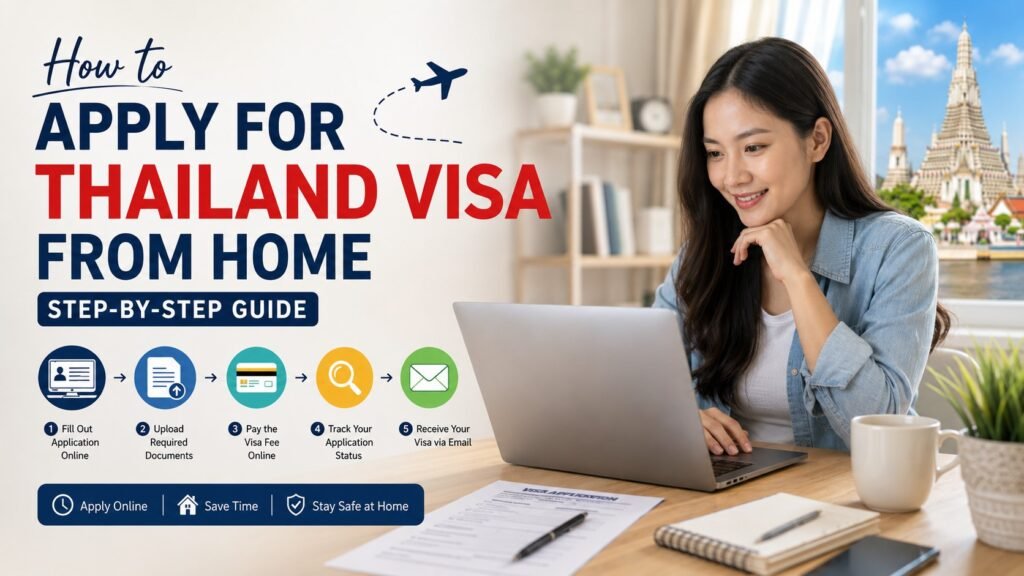
Yes, you can apply for a Thailand visa from home. You do not need to visit an embassy, mail your passport, or wait in any lines. The entire process happens online, and if everything goes smoothly, your visa arrives as a PDF in your email inbox.
Here is exactly how it works.
What Is the Thailand eVisa?
The Thailand eVisa is an electronic visa issued by Thailand’s Ministry of Foreign Affairs. It replaced the old paper-based system when the full online rollout launched on January 1, 2025. Instead of going to a consulate, you fill out a form online, upload your documents, pay the fee, and wait for approval.
There are two types available:
- Single Entry eVisa (SEV): Valid for 3 months from the issue date. Lets you stay up to 30 days per visit, with the option to extend for another 30 days at a local immigration office.
- Multiple Entry eVisa (MEV): Valid for 6 months. You can enter and exit Thailand multiple times, with stays of up to 60 days each, plus a 30-day extension option.
Most tourists apply for the single-entry option. If you plan to travel around the region and come back to Thailand a few times, the multiple-entry visa makes more sense.
What You Need Before You Start
Getting your documents ready before you open the application form saves a lot of frustration. The system is strict about file quality and format. If something looks off, your application can get flagged or rejected before anyone even reviews it properly.
Here is what you need:
- Passport valid for at least 6 months from your planned arrival date, with at least 2 blank pages
- Passport-style photo taken recently, with a plain white background, no glasses, no hats, and no shadows on your face
- Confirmed flight itinerary showing your entry and exit from Thailand (booking confirmation with dates and flight numbers)
- Proof of accommodation for your first night in Thailand (hotel booking or host letter)
- Bank statement showing you have enough funds to cover your stay. The general guideline is around 20,000 THB for a solo traveler (roughly $550 USD), maintained over at least the past few months, with an official bank stamp
For a full breakdown of every document, see the Thailand visa document checklist and the Thai eVisa requirements guide.
Step-by-Step: How to Apply from Home
Step 1: Go to the Application Portal
Head to the online application at application.royalthaiembassy.com. Enter your nationality, travel purpose, and how many people are traveling.
Step 2: Select Your Visa Type
Choose between the single-entry and multiple-entry tourist visa. If you are not sure which one fits your trip, the 60-day Thai tourist visa guide and the Thai multiple entry visa page can help you decide.
Step 3: Fill In Your Details
Enter your passport number, full name exactly as it appears on your passport, date of birth, travel dates, and your first accommodation address in Thailand. Double-check every number here. A typo in your passport number or travel dates is one of the most common reasons applications get held up for manual review.
Step 4: Upload Your Documents
This is where most people run into trouble. The system accepts JPG and PDF files only, and each file must be under 2MB. If your bank statement is a high-resolution scan, resize it before uploading. If your passport photo has any shadow or a non-white background, fix it before submitting.
Key things that cause rejections at this stage:
- Blurry or low-resolution scans
- Bank statements older than 3 months
- Photos with gray or off-white backgrounds
- Flight itineraries that show “pending” instead of a confirmed booking code
For photo-specific requirements, the Thai eVisa photo requirements page has exact pixel dimensions and examples of what passes and what gets rejected.
Step 5: Pay the Fee
The fee is approximately $74 USD for a single-entry visa. It is non-refundable, even if your application is rejected. Pay through the secure payment gateway on the portal. Keep your payment confirmation.
Step 6: Wait for Approval
After you submit, you wait. Processing typically takes anywhere from 3 to 10 business days, though this can vary depending on the time of year and how busy the system is. Check the Thailand eVisa processing time guide for current estimates and tips on what to do if you are in a hurry.
When your visa is approved, you will get an email with a PDF attachment. That PDF is your visa. There is no physical sticker, no stamp, and nothing to pick up at a consulate.
What to Do After You Get Approved
Getting the approval email is not the last step. A lot of travelers miss what comes next.
1. Check your PDF carefully
Open the visa PDF and confirm your name, passport number, dates of validity, and visa type all match what you entered. Mistakes happen. If anything looks wrong, contact the portal immediately, before you travel.
2. Complete the Thailand Digital Arrival Card (TDAC)
Since May 2025, all travelers entering Thailand must complete the TDAC online. This is a digital version of the old paper arrival form. You must fill it out at least 72 hours before you land. Do not leave this until the airport. Some travelers have faced boarding denials because they missed this step.
3. Save your documents
Print or download the visa PDF and have it ready on your phone. Also bring:
- Your passport
- Your TDAC confirmation
- A copy of your hotel booking
- Your return or onward flight ticket
Immigration officers at Suvarnabhumi Airport and other entry points may ask to see any of these.
4. Understand what the visa actually means
An approved eVisa gives you permission to travel to Thailand and request entry. It is not a guarantee that immigration will let you in. Officers can still ask about your funds, your plans, or your accommodation. Having your documents organized makes that process faster and less stressful.
Common Mistakes That Cause Delays
Most problems with Thai visa applications come down to a few repeat issues:
- Uploading the wrong file format. The system only accepts JPG and PDF. PNG files will not upload correctly.
- A passport photo that does not meet the spec. White background only. No tinted backgrounds, no soft shadows, no casual selfies from your camera roll.
- Bank statements without an official stamp. Online-generated statements are often not accepted. You usually need a stamped version from your bank.
- Submitting too close to your travel date. Processing can take up to 10 business days. Apply at least 3 weeks before your flight. See the Thailand visa processing time page for guidance on timing.
- Forgetting the TDAC. The visa and the TDAC are two separate things. You need both.
Applying Yourself vs. Using a Service
Most people can handle the Thailand eVisa application on their own if they take the time to read the requirements carefully and prepare their documents before starting the form.
That said, some travelers prefer to have someone check their documents before submission, especially if English is not their first language, or if they have had a visa rejected before.
Royal Thai Embassy offers a guided application service. You still apply for a Thai visa through the proper channels. The service helps you organize your documents, checks for common errors before submission, and guides you through the process step by step. It is not the Thai government, and it does not guarantee approval, but it does reduce the chance of avoidable mistakes.
If you want to apply on your own, the apply for Thai eVisa online page walks through the direct process. If you would rather have support through the process, the Royal Thai Embassy visa application page explains how the guided service works.
How Much Does It Cost?
The visa fee itself is around $74 USD for a single-entry tourist visa. If you use an assistance service, there will be an additional service fee on top of that.
See the full breakdown on the Thailand eVisa cost page and the Thai eVisa fees 2026 guide.
Frequently Asked Questions
Can I apply for a Thailand visa while I am already in Thailand? No. The eVisa is for travelers applying from outside the country. If you are already in Thailand and want to extend your stay, visit a local immigration office before your current visa or entry stamp expires.
Do I need to mail my passport to anyone? No. The Thailand eVisa is completely stickerless. You never send your passport anywhere. Everything is digital.
How early should I apply? At least 3 weeks before your travel date. Processing can take up to 10 business days, and you want buffer time in case you need to fix a document or resubmit anything.
What if my visa is rejected? The fee is non-refundable. You can usually reapply, but you should find out why the first application was rejected before submitting again. Common reasons include incorrect photos, missing documents, or incomplete information.
What is the TDAC and is it separate from the visa? Yes, they are separate. The TDAC (Thailand Digital Arrival Card) is a mandatory digital form all travelers must complete at least 72 hours before arriving in Thailand. Even if you have a valid visa, skipping the TDAC can cause problems at check-in or at the border.
Applying for a Thailand visa from home is straightforward once you know what you are getting into. Get your documents ready first, take the photo requirements seriously, and do not wait until the last week before your trip to start. The process rewards people who are organized and patient.
If you want help getting it right the first time, Royal Thai Embassy offers guided support through the full application process.